Deals
Track sales opportunities until they become projects.
Open Deals to see your sales opportunities. Select a deal to open its tasks and files.
Follow a deal
On a computer, the deal's Dashboard shows its progress, notes and activity. Use the Details panel to update the owner, value and other details.
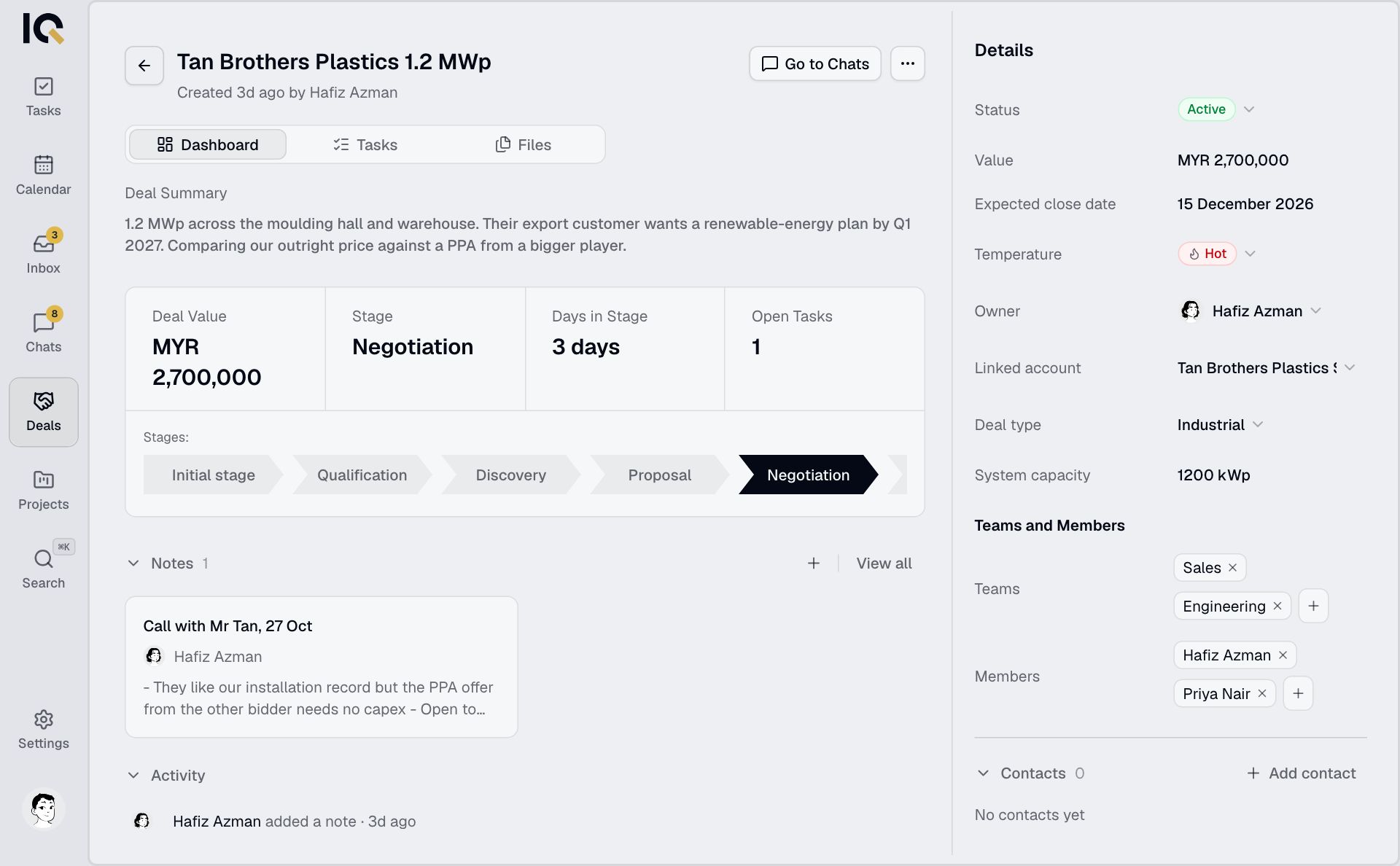
For a view of your pipeline, select Board view in the Deals list. See Deal pipeline to move deals between stages.
On a phone, you can work with tasks and files. The info button shows a summary. Use a computer for stage changes and handover.
Keep the conversation with the deal
On a computer, select Go to Chats from the deal. On a phone, open Chats and choose the Deals filter.
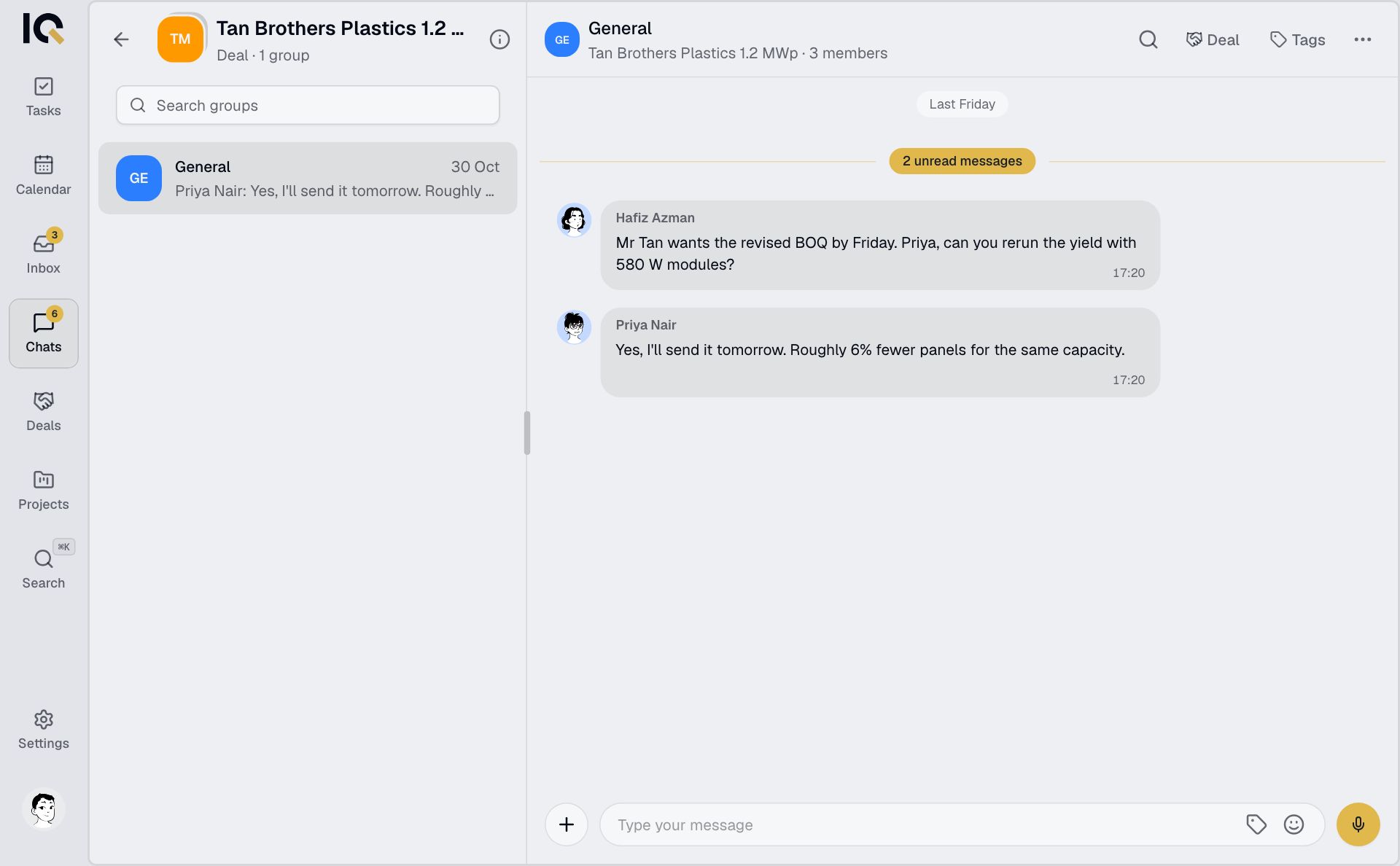
Leads, contacts and customers
Leads are companies or people you're selling to. This tab is available on a computer. Contacts holds the people you deal with. Customers are created when deals are handed over to projects.
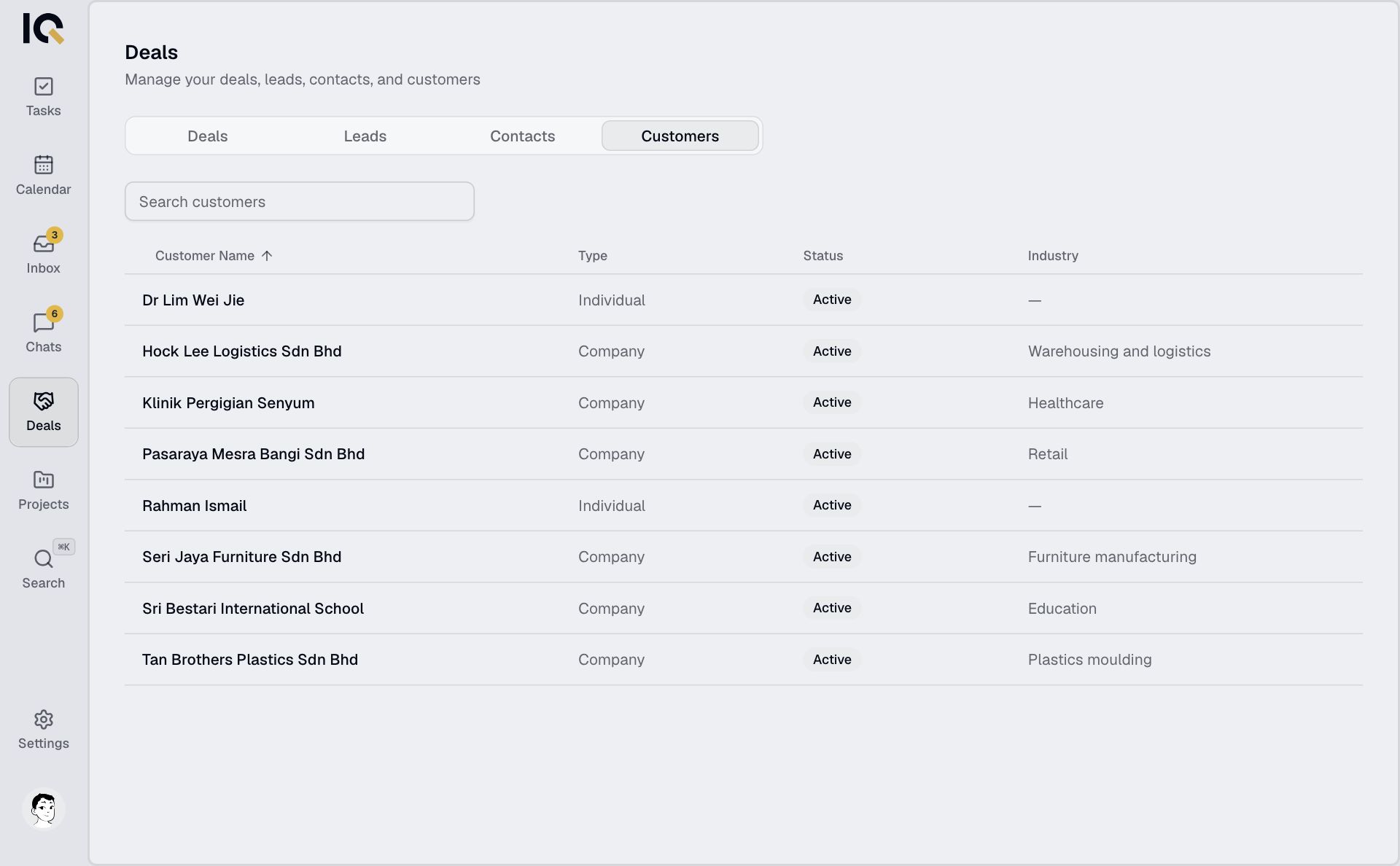
Deals stay within your company. Anyone who can see a deal can edit, delete or hand it over.