Calendar
Plan visits and meetings, and see task due dates.
Open Calendar to see your events and the due dates of tasks you lead or help with. Tap an item to open it.
Create an event
- Select New event on a computer, or + on a phone.
- Add a title, start and end time. Use All day if needed.
- Add guests, a location or a meeting link. You can also link a project or deal.
- Tap Save.
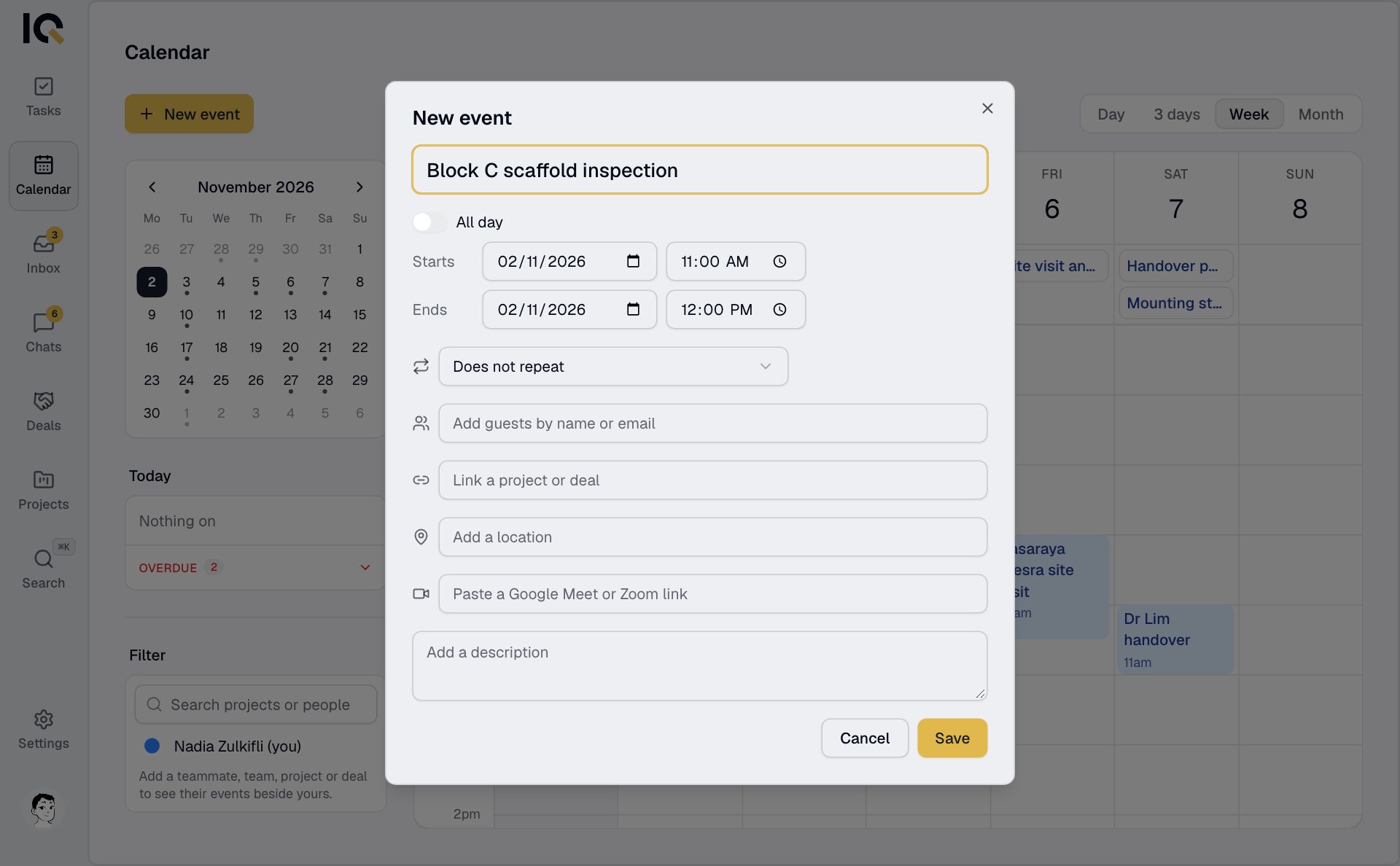
Guests receive an email invitation. Teammates also receive it in Inbox.
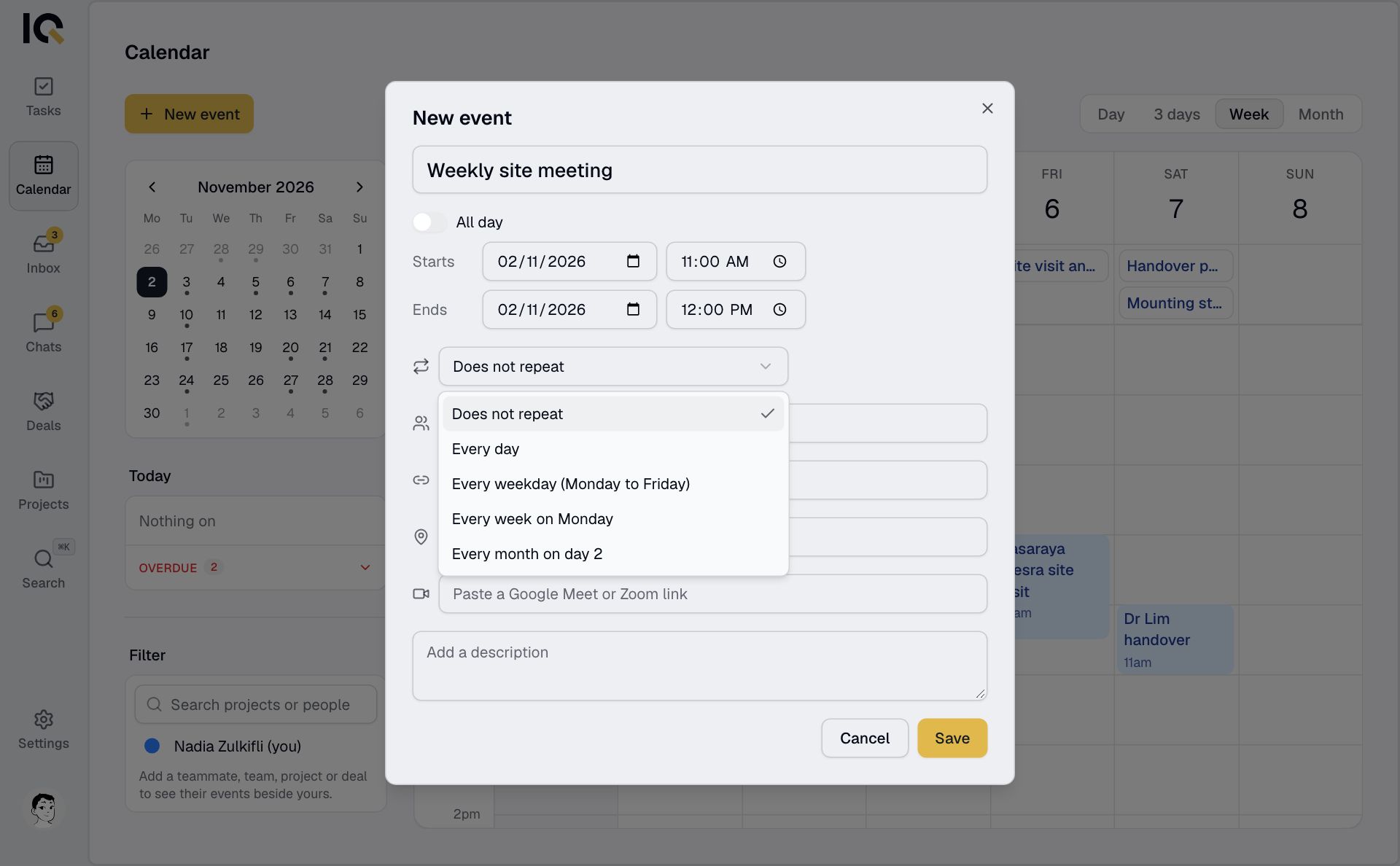
Repeat an event
Open Does not repeat in the event form and choose a schedule. When editing or deleting a repeating event, choose whether the change applies to This event or All events.
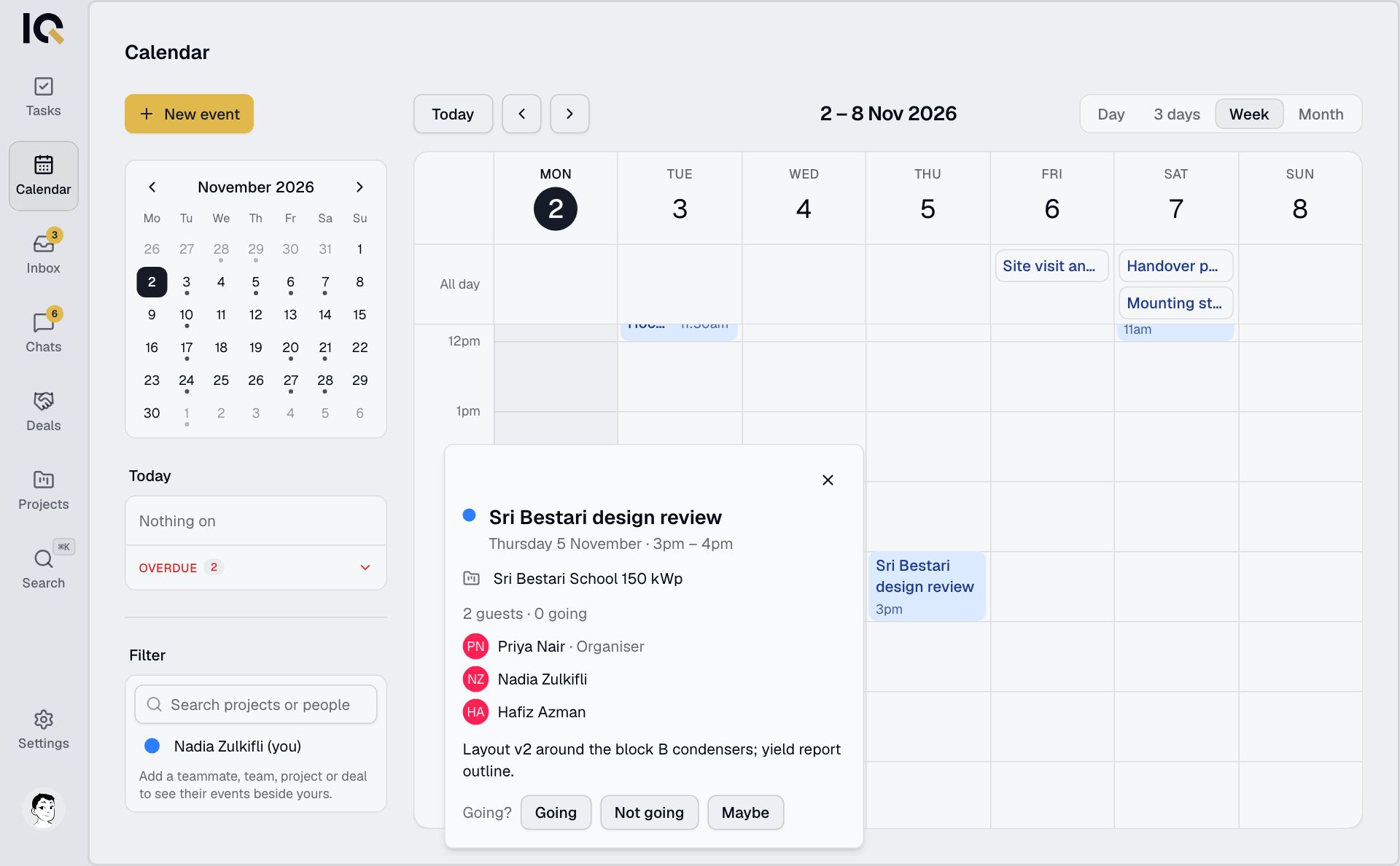
Reply to an invitation
Open the event and choose Going, Not going or Maybe. For a repeating event, your reply applies to the whole series.
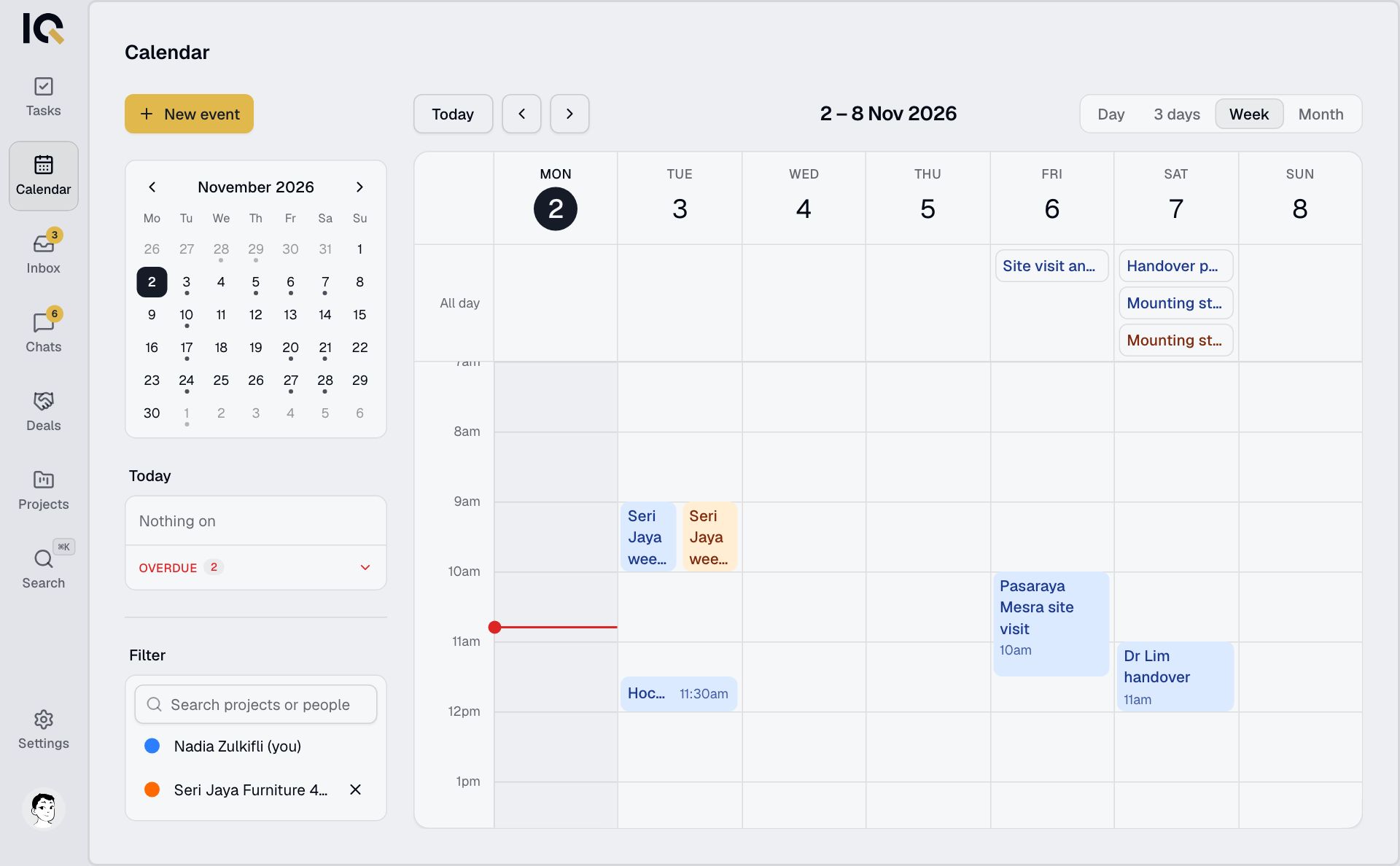
See a project's calendar
Open Filter, search under Search projects or people and choose the project. You can add teammates' or teams' calendars the same way.
Only the organiser can edit or delete an event. RooftopIQ tells guests about changes and cancellations, but doesn't send a reminder before an event.