New chat
Start a conversation with one person or a group.
Message one person
- Open Chats and tap New Chat.
- Find and select the person.
- Tap Start chat.
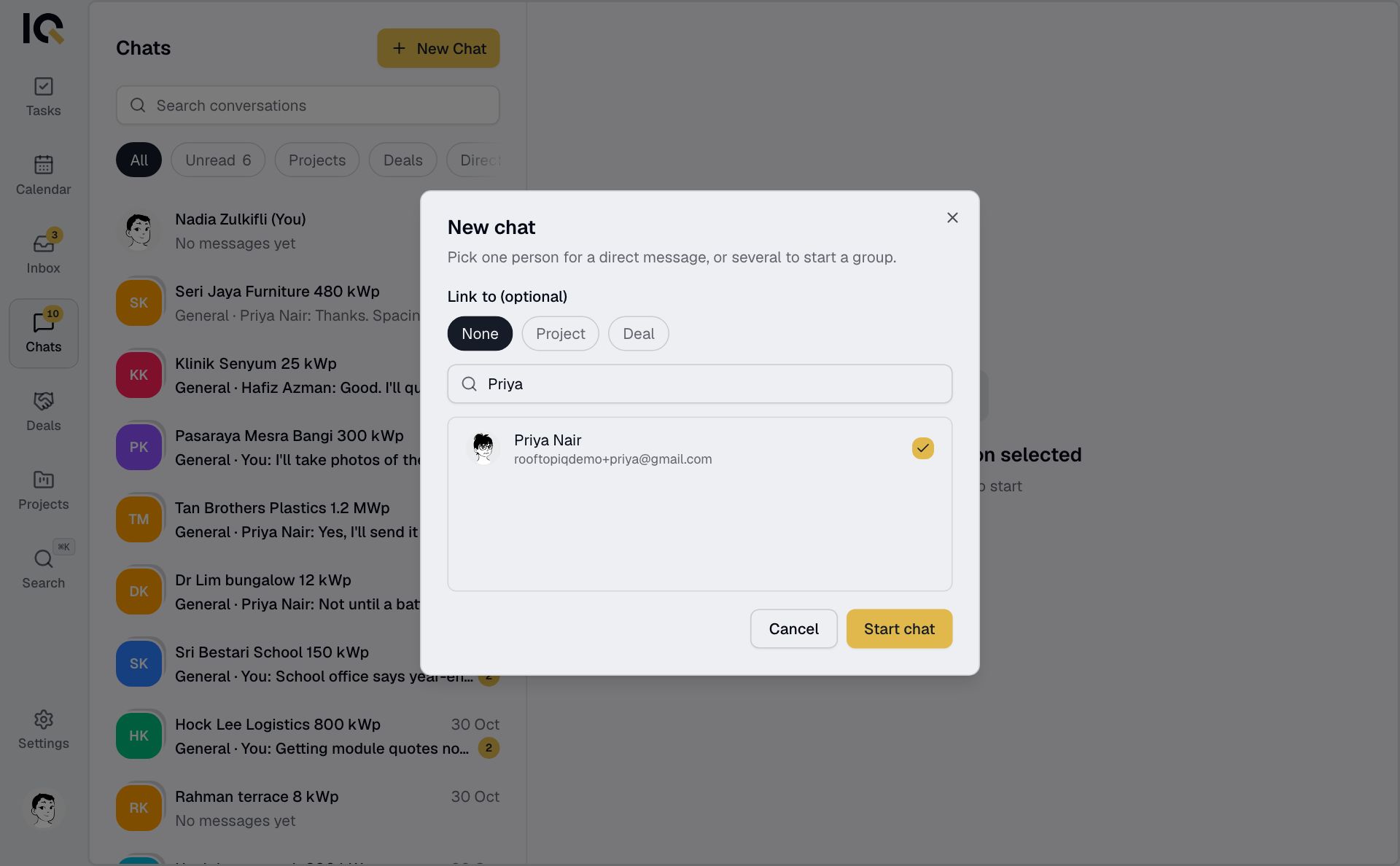
You can also tap someone's name or photo in a group conversation to message them directly.
Start a group
- Tap New Chat and select the people to include.
- Enter a Group name.
- To keep it with a job, choose a project or deal under Link to (optional).
- Tap Create group.
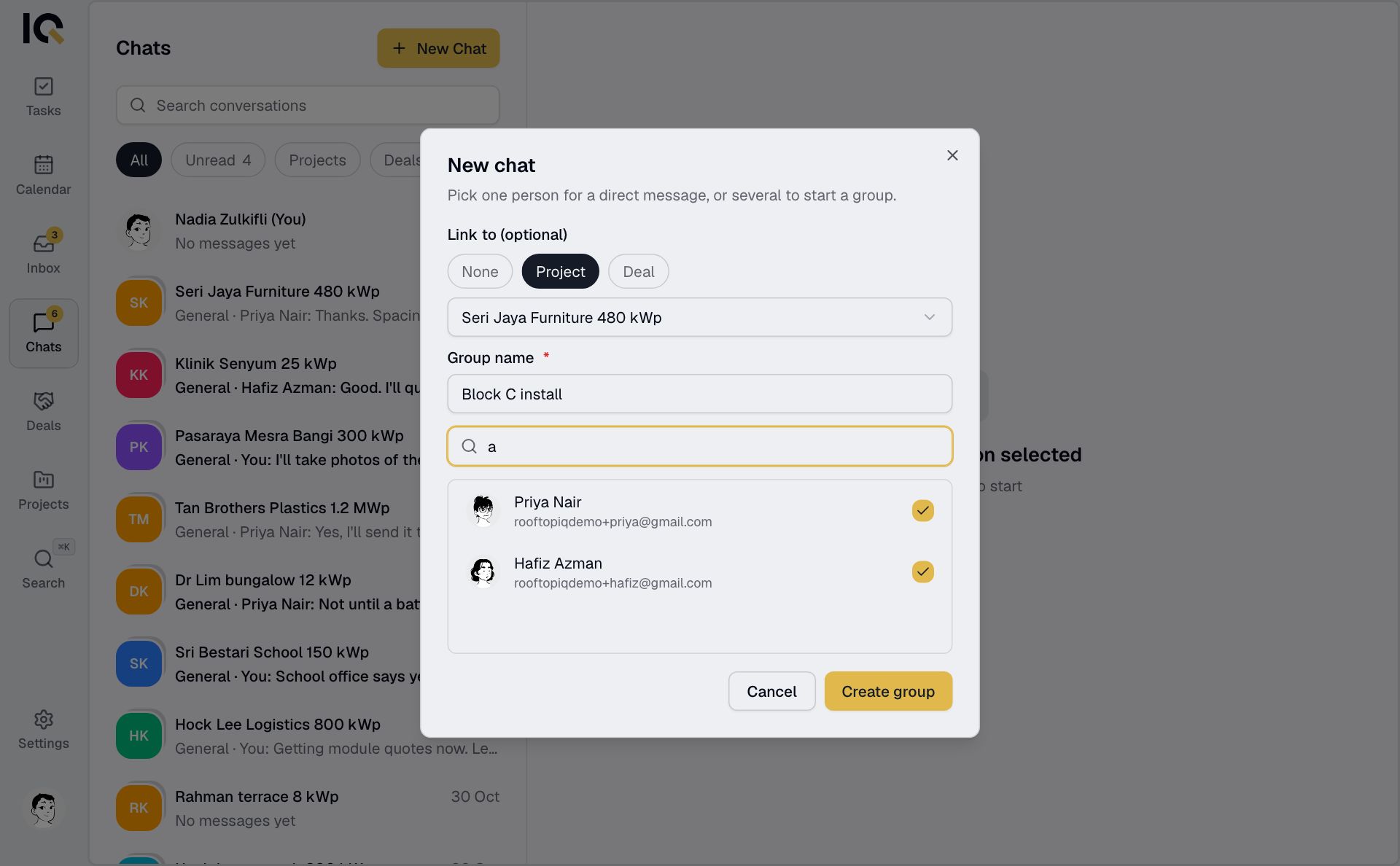
A linked group includes the people you selected. Use the project's General chat to reach everyone from your company on that project.
New Chat lists people in your company. To message a partner on a shared project, tap their name in a chat you both belong to.