Release notes
What's new in RooftopIQ, and when it arrived.

Search everything, and work across companies
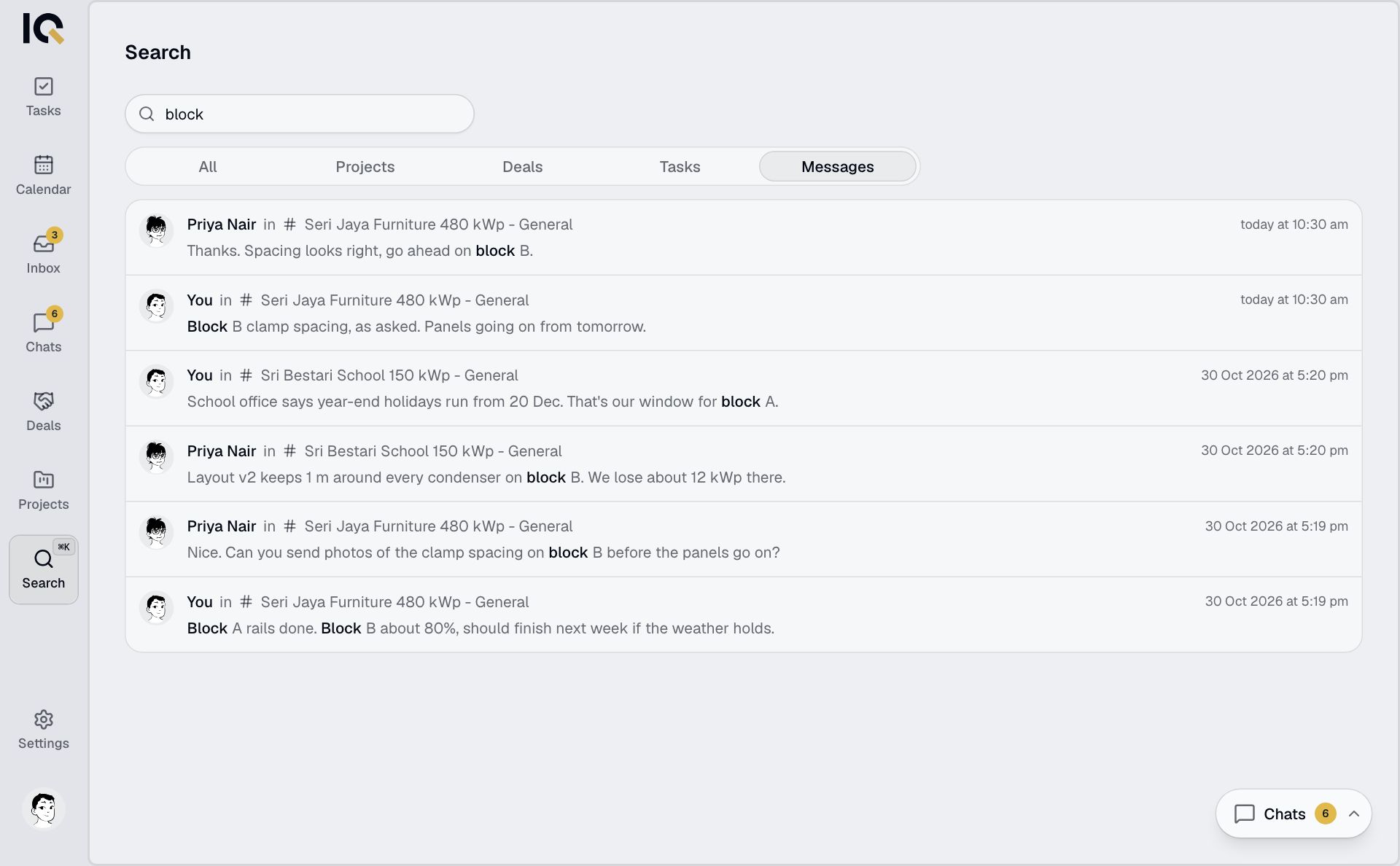
- Search finds any project, deal, task or chat message you can see, on your computer and your phone. It matches names, descriptions, addresses, customers and what was said in chat.
- One account can now belong to several companies. Your own tasks, notes and calendar sit alongside each company's work.
Voice notes, chat spaces and tags
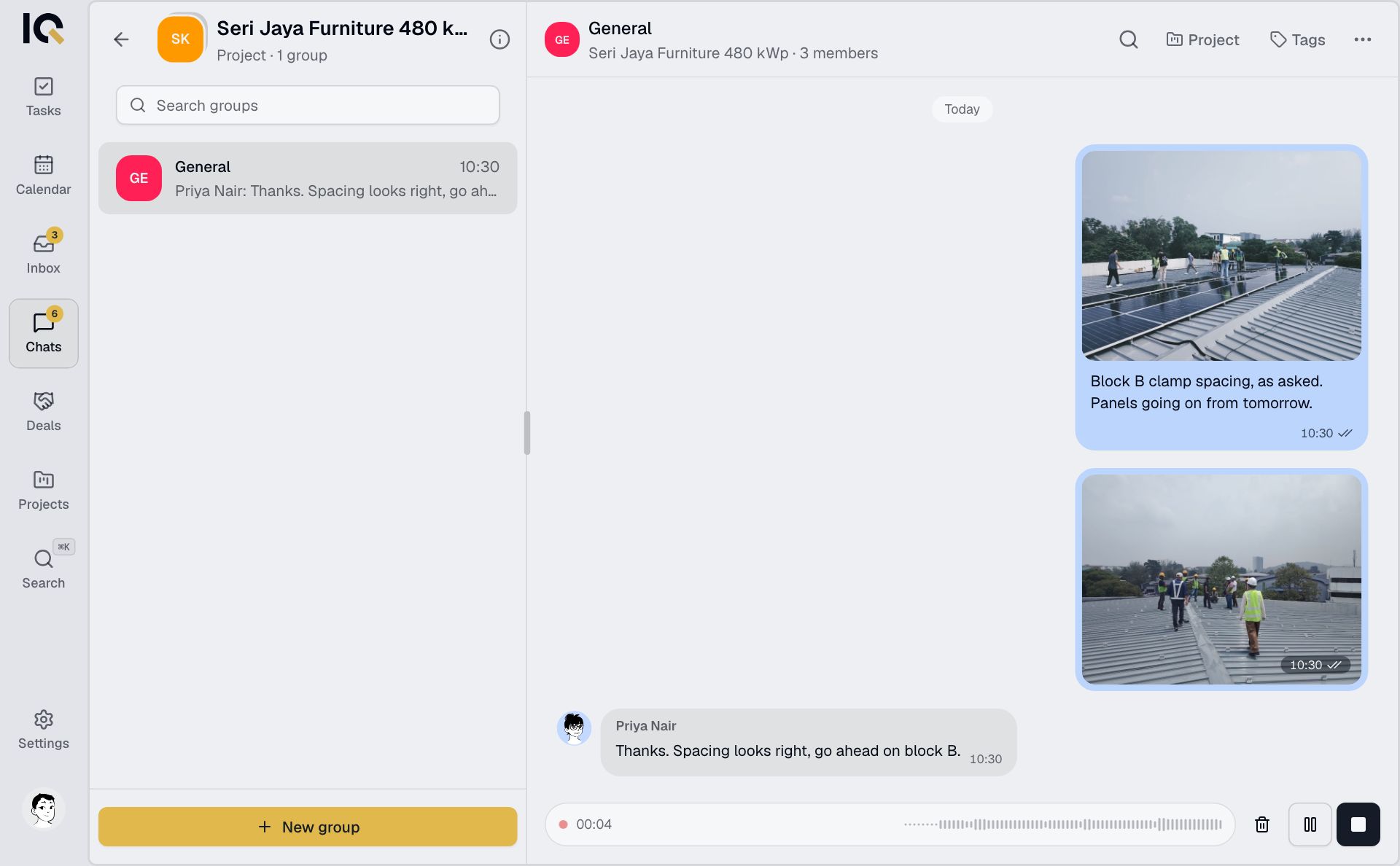
- Record a voice note in any chat and send it like a message, so crews on site can talk instead of type.
- A project's chats are grouped together, so its conversations sit in one place.
- Tag messages in a chat to keep track of what they are about.
Keep working without a signal

- Open RooftopIQ with no signal and read what you last saw. Routine task updates wait and sync when you're back online.
- Files sent in a chat go into the project's folders, and you choose who can see them.
Deal handover, folders and subtasks
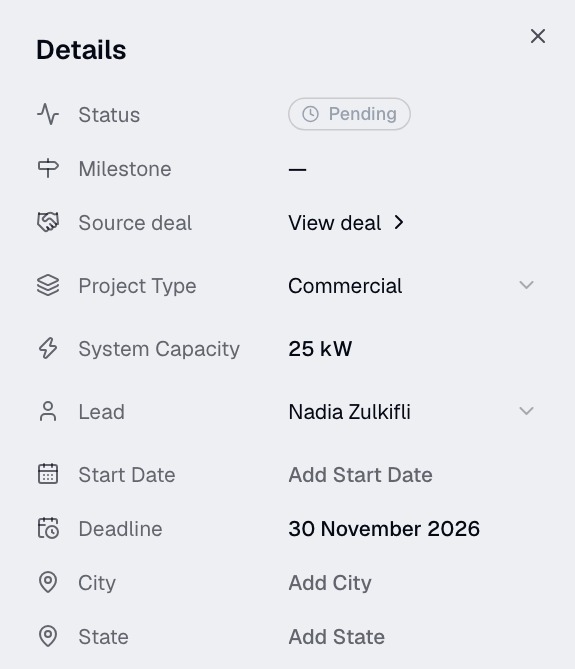
- Hand a won deal over to a project in one step, with its contacts, files and context, instead of typing it all in again.
- Organise a project's files into folders, and choose who sees each folder.
- Break a task into subtasks, and upload files in fewer steps.
All your files in one place
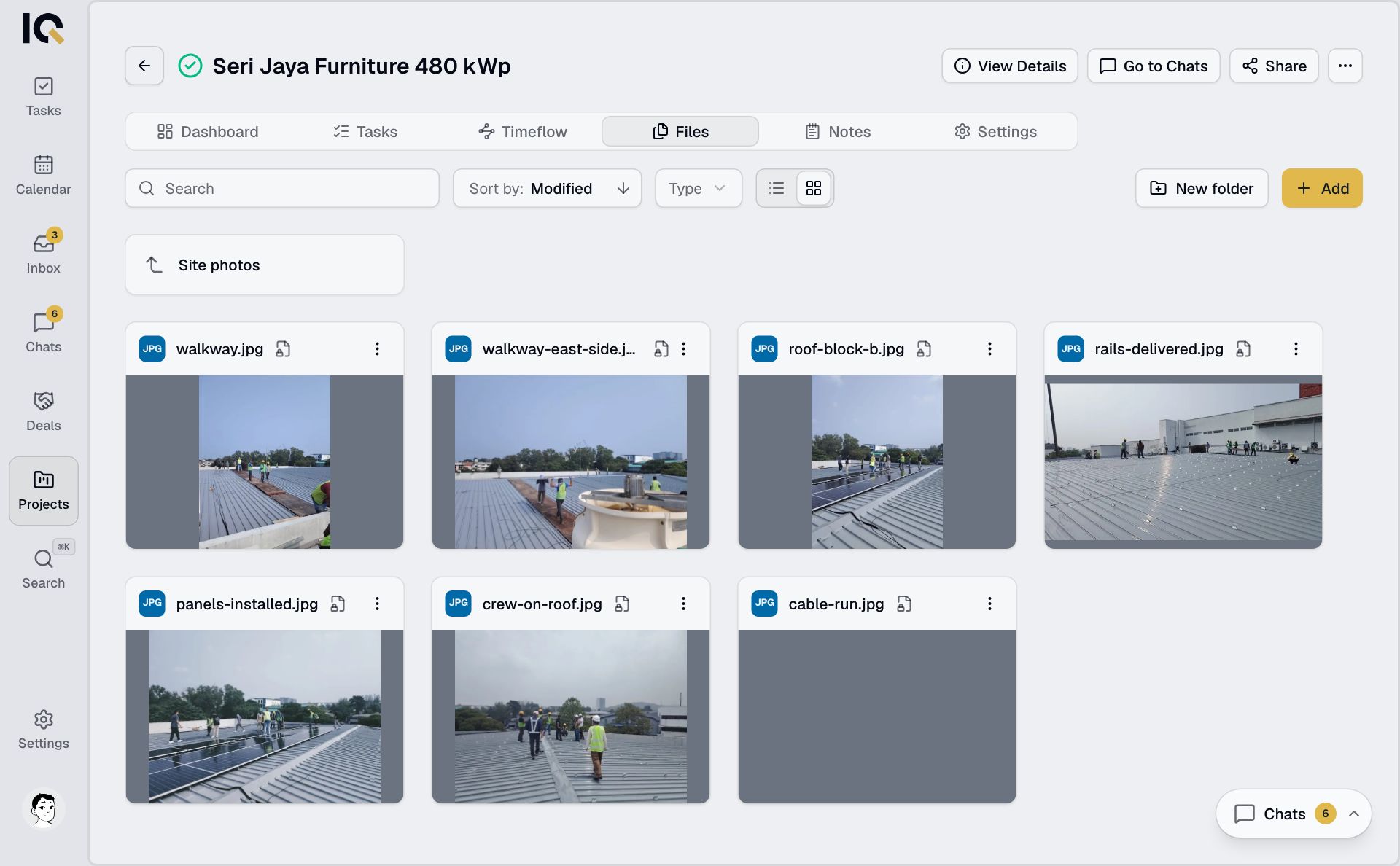
- A project's files, from its tasks, its chats and the project itself, now sit together in Files.